CMMS for Education: A 2026 Guide for Higher Ed and K-12
In this post
%20(1).avif)
1
2
3
A practical CMMS for education guide: key capabilities, K–12 vs. higher ed needs, real use cases, and how schools improve uptime, compliance, and budget visibility.
CMMS for education: A 2026 guide for higher ed and K-12
School facilities teams face a very different reality than they did a decade ago. Aging buildings, higher safety expectations, and tighter budget oversight have pushed maintenance into a high-stakes function that directly affects learning environments, compliance, and long-term capital planning.
According to HTF Market Intelligence, growth in school maintenance and facilities management is being driven by the need for centralized facility data and auditable maintenance records as health, safety, and compliance requirements increase across aging campuses.
Yet many K–12 districts and universities still rely on disconnected tools that limit visibility and slow decisions. As a result, education facilities management software has become a critical foundation for organizing assets, workflows, and documentation at scale.
This shift is fueling renewed focus on CMMS for education. Modern CMMS platforms help schools move from reactive work to predictable, controlled operations. This guide explores how CMMS supports education-specific needs, where K–12 and higher education diverge, and which capabilities matter most looking ahead.
What is CMMS for education?
A CMMS for education is a centralized system schools use to manage maintenance across campus, including assets, work orders, preventive maintenance, inspections, and compliance records. It gives K–12 districts and higher education institutions one reliable source of truth for facilities operations.
In practice, CMMS for education serves as the system of record for campus maintenance. It replaces scattered tools with a single platform designed for multi-building, multi-stakeholder environments, where accuracy and visibility matter every day.
This structure supports the full range of facilities work, from routine classroom repairs to specialized equipment maintenance and regulatory inspections. Technicians receive and update assignments in real time. Maintenance managers track priorities, backlog, and compliance activity. Facilities leaders rely on dashboards and reports to monitor performance and guide planning decisions.
By standardizing workflows and tying maintenance history to physical assets, a CMMS software creates consistency across teams and time. Daily work becomes easier to coordinate, information stays accessible, and schools gain a scalable foundation for managing complex campuses with confidence.
Why schools and universities are investing in CMMS now
Schools are investing in CMMS because maintaining campuses has become harder to manage with fragmented tools, aging facilities, and limited staffing. At the same time, expectations around documentation, compliance, and budget justification have increased.
Across K–12 districts and higher education, facilities teams are expected to deliver reliable service, maintain audit-ready records, and explain maintenance decisions with accurate data, often without additional resources.
CMMS adoption reflects a practical shift toward systems that bring daily work into one place, improve visibility across campus operations, and support clearer, more defensible decision-making over time.
The following factors are driving CMMS investment across education:
- Aging infrastructure and escalating repair needs: Many school buildings outlived their original design life. Asset downtime happens more often, and deferred work compounds quickly. CMMS helps facility managers track asset condition, review maintenance history, and plan preventative maintenance before minor issues turn into costly disruptions.
- Lean maintenance teams with heavy workloads: Staffing rarely grows alongside campus demands. CMMS supports clearer resource allocation through better task assignments, work order tracking, and mobile access in the field. Maintenance teams focus on high-priority work instead of reacting to the loudest request.
- Budget scrutiny and demand for clear justification: Facility managers face ongoing questions about spending. CMMS provides reliable data on labor, materials, inventory management, and asset performance, grounding budget conversations and capital planning in facts rather than estimates.
- Rising compliance and safety documentation requirements: Inspections and audits require accurate, accessible records. CMMS centralizes documentation and maintenance history so teams respond confidently to regulatory requests without scrambling across systems.
- Expansion of smart-campus systems and connected equipment: Educational facilities generate more operational data than ever. CMMS serves as facilities management software that connects assets, maintenance schedules, and outcomes instead of leaving information isolated across platforms.
- Higher expectations for response times and learning environments: Students, staff, and faculty expect faster service. Request portals and mobile workflows help teams capture issues quickly, route work efficiently, and resolve problems before they affect classrooms, labs, housing, or shared spaces.
If these pressures feel familiar, that experience is common across education. CMMS adoption reflects a move toward tools that support daily maintenance work and give leaders clearer insight without adding overhead.
How CMMS supports school maintenance operations
CMMS gives school maintenance teams a steady operating rhythm. Core activities flow through a single system, so teams know what needs attention, who owns the work, and what comes next. That structure supports safer buildings and more predictable days across K–12 districts and higher education campuses.
Work orders move through a shared workflow instead of inboxes and hallway conversations. Requests arrive with context, priorities stay visible, and status reflects progress in the field. Preventive maintenance schedules stay tied to assets and calendars, helping teams address routine work before breakdowns interrupt learning or housing operations.
Inspections follow consistent checklists and timelines. Documentation remains attached to locations and equipment, reducing guesswork when administrators or regulators ask questions. HVAC and custodial workflows gain clarity, with recurring tasks, seasonal work, and urgent issues all in the same view. Teams coordinate daily work without having to chase information across tools.
At a high level, CMMS acts as the operational backbone for school facilities. It connects daily tasks with longer-term planning and creates a transparent handoff between people, processes, and data. The following sections show how that foundation supports the distinct realities of K–12 districts and higher education campuses.
CMMS for K-12
K–12 facilities teams work under tight constraints. Buildings age faster than budgets grow. Staff numbers stay limited while expectations around safety and responsiveness increase. Digital maintenance tools give districts a way to regain control without adding overhead.
A CMMS for K–12 schools helps teams organize work, track assets, and communicate clearly across campuses. Maintenance leaders gain a clear picture of priorities. Technicians see assigned tasks and update progress from the field. Administrators receive accurate information without having to make repeated follow-ups.
Schools that adopt CMMS gain breathing room. Work gets planned instead of rushed. Reporting supports decision-making rather than draining time. Daily maintenance feels manageable even when resources stay lean. Many districts rely on CMMS for K–12 schools to support this shift and keep operations steady across the school year.

CMMS for higher ed
Higher education facilities teams manage a different level of complexity. Campuses span large footprints and include classrooms, labs, residence halls, athletic facilities, and research spaces. Stakeholders across housing, finance, IT, and sustainability rely on accurate facility data to make decisions. Reporting carries political and financial weight.
A CMMS for universities centralizes maintenance activity across the entire campus. Leaders see consistent data instead of fragmented reports. Departments align around shared priorities. Technicians coordinate work across buildings without losing time to travel gaps or miscommunication.
Universities use CMMS to support accountability and transparency. Maintenance data feeds conversations about capital planning, deferred maintenance, and energy use. Teams balance daily repairs with long-term stewardship of complex infrastructure. Many institutions turn to CMMS for universities to support coordinated operations and steady reporting across campus.
Core CMMS capabilities schools and universities need
The most effective CMMS platforms are not defined by the number of features they offer, but by how well those capabilities reduce friction in daily work and support long-term decision-making. In education environments, the right CMMS capabilities help facilities teams stay organized under pressure while giving leadership reliable insight into performance, risk, and investment needs.
The following capabilities consistently deliver the most value for K–12 districts and higher education campuses.
Asset tracking and campus-wide visibility
Schools need a clear, accurate understanding of what assets they own, where those assets are located, and how they perform over time. Asset tracking connects equipment, locations, and maintenance history into a single view, allowing teams to identify recurring issues, prioritize replacements, and plan capital investments with confidence. For large or multi-campus environments, this visibility is essential for consistency and accountability.
Mobile work orders for technicians on the move
Maintenance work rarely happens at a desk. Mobile work orders are a core function of modern work order management software, allowing technicians to receive assignments, review asset details, document work, and close tasks from anywhere on campus. Real-time updates reduce delays, improve communication, and ensure that maintenance activity is captured accurately without relying on follow-up data entry or verbal updates.
Preventive maintenance automation
Preventive maintenance is one of the most effective ways schools control costs and reduce disruption, yet it is often the first thing to slip when teams are stretched thin. Preventive maintenance software keeps maintenance schedules tied to assets, usage, and academic calendars, helping teams complete routine work on time, extend asset life, and reduce emergency repairs during peak periods.
As maintenance programs mature, predictive maintenance software builds on that foundation by using asset history and condition data to anticipate failures before they occur, allowing schools to plan interventions more precisely and avoid unplanned downtime.
Integrations with campus systems and building technologies
Educational facilities rely on multiple systems, including housing, space management, IT, and building automation platforms. CMMS integrations ensure maintenance teams receive work requests with the right context and avoid re-entering data across systems. Connected workflows improve coordination across departments and reduce errors caused by fragmented information.
Dashboards and reporting for leadership and oversight
Facilities leaders need clear answers, not raw data. Maintenance dashboards and reporting tools translate maintenance activity into insight by showing backlog, response times, costs, and asset performance trends. These reports support audits, budget reviews, and capital planning conversations, helping leaders explain decisions with documented evidence rather than assumptions.
Case study: Dallas College’s asset-based approach with WebTMA
Dallas College manages seven campuses and more than 5.5 million square feet of space, much of it supported by aging HVAC systems. Facilities leaders needed clearer insight into asset condition and lifecycle data to guide maintenance and capital decisions across the district.
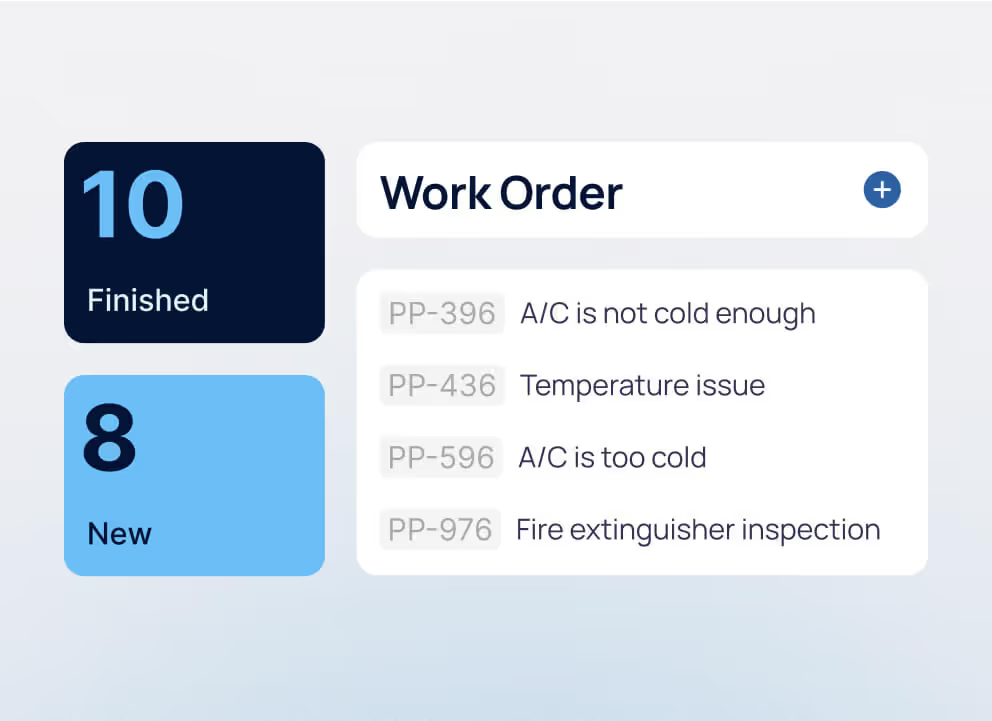
The team adopted WebTMA to manage facilities at the asset level. Technicians capture updates in real time via the mobile app, providing managers with consistent data across campuses. That visibility surfaced recurring “too hot” and “too cold” complaints tied to specific boilers and chillers.
With asset-level data in hand, Dallas College targeted HVAC investments more intentionally. Comfort issues declined in problem buildings, repeat work dropped, and capital funds went where they delivered the most value.
TMA Systems’ expertise in K-12 and higher ed facilities
TMA Systems has spent more than 30 years supporting the facilities teams responsible for complex educational facilities. That experience shapes how WebTMA is built, configured, and supported for environments where maintenance management, safety, and accountability matter every day.
Education-specific configurations support preventative maintenance aligned to academic calendars, inventory management across dispersed buildings, and reporting tailored to boards, audits, and accreditation needs. K–12 districts use WebTMA to manage aging assets with small teams. Universities rely on it to coordinate large campuses, specialized equipment, and competing priorities.
Long-term partnerships matter in education. Many institutions stay with TMA as needs grow because the platform scales without forcing disruptive process changes. WebTMA supports cloud or on-premise deployments, integrates with existing campus systems, and maintains consistent data as organizations expand.
This guide reflects a shared reality across schools of all sizes. Facility managers need facilities management software that fits their environment, supports daily work, and holds up under scrutiny. WebTMA’s CMMS for education reflects decades of lessons learned across K–12 districts and higher-ed campuses, providing a dependable foundation for maintenance, asset management, and long-term planning.
FAQs about CMMS for education
- Gain clear visibility into assets, work orders, and maintenance priorities across K–12 and higher-ed campuses.
- Replace paper, spreadsheets, and inboxes with one CMMS that supports safer, faster, and more predictable operations.
- Use reliable maintenance and asset data to guide budgets, audits, and long-term capital planning with confidence.

Download the eBook now
You’re all set!
Your eBook is on its way to your inbox. We hope it brings fresh insights and practical takeaways to help you get more from your maintenance operations.
Explore related resources
.avif)
A practical CMMS for education guide: key capabilities, K–12 vs. higher ed needs, real use cases, and how schools improve uptime, compliance, and budget visibility.
CMMS for education: A 2026 guide for higher ed and K-12
School facilities teams face a very different reality than they did a decade ago. Aging buildings, higher safety expectations, and tighter budget oversight have pushed maintenance into a high-stakes function that directly affects learning environments, compliance, and long-term capital planning.
According to HTF Market Intelligence, growth in school maintenance and facilities management is being driven by the need for centralized facility data and auditable maintenance records as health, safety, and compliance requirements increase across aging campuses.
Yet many K–12 districts and universities still rely on disconnected tools that limit visibility and slow decisions. As a result, education facilities management software has become a critical foundation for organizing assets, workflows, and documentation at scale.
This shift is fueling renewed focus on CMMS for education. Modern CMMS platforms help schools move from reactive work to predictable, controlled operations. This guide explores how CMMS supports education-specific needs, where K–12 and higher education diverge, and which capabilities matter most looking ahead.
What is CMMS for education?
A CMMS for education is a centralized system schools use to manage maintenance across campus, including assets, work orders, preventive maintenance, inspections, and compliance records. It gives K–12 districts and higher education institutions one reliable source of truth for facilities operations.
In practice, CMMS for education serves as the system of record for campus maintenance. It replaces scattered tools with a single platform designed for multi-building, multi-stakeholder environments, where accuracy and visibility matter every day.
This structure supports the full range of facilities work, from routine classroom repairs to specialized equipment maintenance and regulatory inspections. Technicians receive and update assignments in real time. Maintenance managers track priorities, backlog, and compliance activity. Facilities leaders rely on dashboards and reports to monitor performance and guide planning decisions.
By standardizing workflows and tying maintenance history to physical assets, a CMMS software creates consistency across teams and time. Daily work becomes easier to coordinate, information stays accessible, and schools gain a scalable foundation for managing complex campuses with confidence.
Why schools and universities are investing in CMMS now
Schools are investing in CMMS because maintaining campuses has become harder to manage with fragmented tools, aging facilities, and limited staffing. At the same time, expectations around documentation, compliance, and budget justification have increased.
Across K–12 districts and higher education, facilities teams are expected to deliver reliable service, maintain audit-ready records, and explain maintenance decisions with accurate data, often without additional resources.
CMMS adoption reflects a practical shift toward systems that bring daily work into one place, improve visibility across campus operations, and support clearer, more defensible decision-making over time.
The following factors are driving CMMS investment across education:
- Aging infrastructure and escalating repair needs: Many school buildings outlived their original design life. Asset downtime happens more often, and deferred work compounds quickly. CMMS helps facility managers track asset condition, review maintenance history, and plan preventative maintenance before minor issues turn into costly disruptions.
- Lean maintenance teams with heavy workloads: Staffing rarely grows alongside campus demands. CMMS supports clearer resource allocation through better task assignments, work order tracking, and mobile access in the field. Maintenance teams focus on high-priority work instead of reacting to the loudest request.
- Budget scrutiny and demand for clear justification: Facility managers face ongoing questions about spending. CMMS provides reliable data on labor, materials, inventory management, and asset performance, grounding budget conversations and capital planning in facts rather than estimates.
- Rising compliance and safety documentation requirements: Inspections and audits require accurate, accessible records. CMMS centralizes documentation and maintenance history so teams respond confidently to regulatory requests without scrambling across systems.
- Expansion of smart-campus systems and connected equipment: Educational facilities generate more operational data than ever. CMMS serves as facilities management software that connects assets, maintenance schedules, and outcomes instead of leaving information isolated across platforms.
- Higher expectations for response times and learning environments: Students, staff, and faculty expect faster service. Request portals and mobile workflows help teams capture issues quickly, route work efficiently, and resolve problems before they affect classrooms, labs, housing, or shared spaces.
If these pressures feel familiar, that experience is common across education. CMMS adoption reflects a move toward tools that support daily maintenance work and give leaders clearer insight without adding overhead.
How CMMS supports school maintenance operations
CMMS gives school maintenance teams a steady operating rhythm. Core activities flow through a single system, so teams know what needs attention, who owns the work, and what comes next. That structure supports safer buildings and more predictable days across K–12 districts and higher education campuses.
Work orders move through a shared workflow instead of inboxes and hallway conversations. Requests arrive with context, priorities stay visible, and status reflects progress in the field. Preventive maintenance schedules stay tied to assets and calendars, helping teams address routine work before breakdowns interrupt learning or housing operations.
Inspections follow consistent checklists and timelines. Documentation remains attached to locations and equipment, reducing guesswork when administrators or regulators ask questions. HVAC and custodial workflows gain clarity, with recurring tasks, seasonal work, and urgent issues all in the same view. Teams coordinate daily work without having to chase information across tools.
At a high level, CMMS acts as the operational backbone for school facilities. It connects daily tasks with longer-term planning and creates a transparent handoff between people, processes, and data. The following sections show how that foundation supports the distinct realities of K–12 districts and higher education campuses.
CMMS for K-12
K–12 facilities teams work under tight constraints. Buildings age faster than budgets grow. Staff numbers stay limited while expectations around safety and responsiveness increase. Digital maintenance tools give districts a way to regain control without adding overhead.
A CMMS for K–12 schools helps teams organize work, track assets, and communicate clearly across campuses. Maintenance leaders gain a clear picture of priorities. Technicians see assigned tasks and update progress from the field. Administrators receive accurate information without having to make repeated follow-ups.
Schools that adopt CMMS gain breathing room. Work gets planned instead of rushed. Reporting supports decision-making rather than draining time. Daily maintenance feels manageable even when resources stay lean. Many districts rely on CMMS for K–12 schools to support this shift and keep operations steady across the school year.
CMMS for higher ed
Higher education facilities teams manage a different level of complexity. Campuses span large footprints and include classrooms, labs, residence halls, athletic facilities, and research spaces. Stakeholders across housing, finance, IT, and sustainability rely on accurate facility data to make decisions. Reporting carries political and financial weight.
A CMMS for universities centralizes maintenance activity across the entire campus. Leaders see consistent data instead of fragmented reports. Departments align around shared priorities. Technicians coordinate work across buildings without losing time to travel gaps or miscommunication.
Universities use CMMS to support accountability and transparency. Maintenance data feeds conversations about capital planning, deferred maintenance, and energy use. Teams balance daily repairs with long-term stewardship of complex infrastructure. Many institutions turn to CMMS for universities to support coordinated operations and steady reporting across campus.
Core CMMS capabilities schools and universities need
The most effective CMMS platforms are not defined by the number of features they offer, but by how well those capabilities reduce friction in daily work and support long-term decision-making. In education environments, the right CMMS capabilities help facilities teams stay organized under pressure while giving leadership reliable insight into performance, risk, and investment needs.
The following capabilities consistently deliver the most value for K–12 districts and higher education campuses.
Asset tracking and campus-wide visibility
Schools need a clear, accurate understanding of what assets they own, where those assets are located, and how they perform over time. Asset tracking connects equipment, locations, and maintenance history into a single view, allowing teams to identify recurring issues, prioritize replacements, and plan capital investments with confidence. For large or multi-campus environments, this visibility is essential for consistency and accountability.
Mobile work orders for technicians on the move
Maintenance work rarely happens at a desk. Mobile work orders are a core function of modern work order management software, allowing technicians to receive assignments, review asset details, document work, and close tasks from anywhere on campus. Real-time updates reduce delays, improve communication, and ensure that maintenance activity is captured accurately without relying on follow-up data entry or verbal updates.
Preventive maintenance automation
Preventive maintenance is one of the most effective ways schools control costs and reduce disruption, yet it is often the first thing to slip when teams are stretched thin. Preventive maintenance software keeps maintenance schedules tied to assets, usage, and academic calendars, helping teams complete routine work on time, extend asset life, and reduce emergency repairs during peak periods.
As maintenance programs mature, predictive maintenance software builds on that foundation by using asset history and condition data to anticipate failures before they occur, allowing schools to plan interventions more precisely and avoid unplanned downtime.
Integrations with campus systems and building technologies
Educational facilities rely on multiple systems, including housing, space management, IT, and building automation platforms. CMMS integrations ensure maintenance teams receive work requests with the right context and avoid re-entering data across systems. Connected workflows improve coordination across departments and reduce errors caused by fragmented information.
Dashboards and reporting for leadership and oversight
Facilities leaders need clear answers, not raw data. Maintenance dashboards and reporting tools translate maintenance activity into insight by showing backlog, response times, costs, and asset performance trends. These reports support audits, budget reviews, and capital planning conversations, helping leaders explain decisions with documented evidence rather than assumptions.
Case study: Dallas College’s asset-based approach with WebTMA
Dallas College manages seven campuses and more than 5.5 million square feet of space, much of it supported by aging HVAC systems. Facilities leaders needed clearer insight into asset condition and lifecycle data to guide maintenance and capital decisions across the district.
The team adopted WebTMA to manage facilities at the asset level. Technicians capture updates in real time via the mobile app, providing managers with consistent data across campuses. That visibility surfaced recurring “too hot” and “too cold” complaints tied to specific boilers and chillers.
With asset-level data in hand, Dallas College targeted HVAC investments more intentionally. Comfort issues declined in problem buildings, repeat work dropped, and capital funds went where they delivered the most value.
TMA Systems’ expertise in K-12 and higher ed facilities
TMA Systems has spent more than 30 years supporting the facilities teams responsible for complex educational facilities. That experience shapes how WebTMA is built, configured, and supported for environments where maintenance management, safety, and accountability matter every day.
Education-specific configurations support preventative maintenance aligned to academic calendars, inventory management across dispersed buildings, and reporting tailored to boards, audits, and accreditation needs. K–12 districts use WebTMA to manage aging assets with small teams. Universities rely on it to coordinate large campuses, specialized equipment, and competing priorities.
Long-term partnerships matter in education. Many institutions stay with TMA as needs grow because the platform scales without forcing disruptive process changes. WebTMA supports cloud or on-premise deployments, integrates with existing campus systems, and maintains consistent data as organizations expand.
This guide reflects a shared reality across schools of all sizes. Facility managers need facilities management software that fits their environment, supports daily work, and holds up under scrutiny. WebTMA’s CMMS for education reflects decades of lessons learned across K–12 districts and higher-ed campuses, providing a dependable foundation for maintenance, asset management, and long-term planning.
FAQs about CMMS for education
- Gain clear visibility into assets, work orders, and maintenance priorities across K–12 and higher-ed campuses.
- Replace paper, spreadsheets, and inboxes with one CMMS that supports safer, faster, and more predictable operations.
- Use reliable maintenance and asset data to guide budgets, audits, and long-term capital planning with confidence.

Register for your free webinar
You’re all set!
Your webinar is on its way to your inbox. We hope it brings fresh insights and practical takeaways to help you get more from your maintenance operations.
Explore related resources
.avif)
CMMS for education: A 2026 guide for higher ed and K-12
School facilities teams face a very different reality than they did a decade ago. Aging buildings, higher safety expectations, and tighter budget oversight have pushed maintenance into a high-stakes function that directly affects learning environments, compliance, and long-term capital planning.
According to HTF Market Intelligence, growth in school maintenance and facilities management is being driven by the need for centralized facility data and auditable maintenance records as health, safety, and compliance requirements increase across aging campuses.
Yet many K–12 districts and universities still rely on disconnected tools that limit visibility and slow decisions. As a result, education facilities management software has become a critical foundation for organizing assets, workflows, and documentation at scale.
This shift is fueling renewed focus on CMMS for education. Modern CMMS platforms help schools move from reactive work to predictable, controlled operations. This guide explores how CMMS supports education-specific needs, where K–12 and higher education diverge, and which capabilities matter most looking ahead.
What is CMMS for education?
A CMMS for education is a centralized system schools use to manage maintenance across campus, including assets, work orders, preventive maintenance, inspections, and compliance records. It gives K–12 districts and higher education institutions one reliable source of truth for facilities operations.
In practice, CMMS for education serves as the system of record for campus maintenance. It replaces scattered tools with a single platform designed for multi-building, multi-stakeholder environments, where accuracy and visibility matter every day.
This structure supports the full range of facilities work, from routine classroom repairs to specialized equipment maintenance and regulatory inspections. Technicians receive and update assignments in real time. Maintenance managers track priorities, backlog, and compliance activity. Facilities leaders rely on dashboards and reports to monitor performance and guide planning decisions.
By standardizing workflows and tying maintenance history to physical assets, a CMMS software creates consistency across teams and time. Daily work becomes easier to coordinate, information stays accessible, and schools gain a scalable foundation for managing complex campuses with confidence.
Why schools and universities are investing in CMMS now
Schools are investing in CMMS because maintaining campuses has become harder to manage with fragmented tools, aging facilities, and limited staffing. At the same time, expectations around documentation, compliance, and budget justification have increased.
Across K–12 districts and higher education, facilities teams are expected to deliver reliable service, maintain audit-ready records, and explain maintenance decisions with accurate data, often without additional resources.
CMMS adoption reflects a practical shift toward systems that bring daily work into one place, improve visibility across campus operations, and support clearer, more defensible decision-making over time.
The following factors are driving CMMS investment across education:
- Aging infrastructure and escalating repair needs: Many school buildings outlived their original design life. Asset downtime happens more often, and deferred work compounds quickly. CMMS helps facility managers track asset condition, review maintenance history, and plan preventative maintenance before minor issues turn into costly disruptions.
- Lean maintenance teams with heavy workloads: Staffing rarely grows alongside campus demands. CMMS supports clearer resource allocation through better task assignments, work order tracking, and mobile access in the field. Maintenance teams focus on high-priority work instead of reacting to the loudest request.
- Budget scrutiny and demand for clear justification: Facility managers face ongoing questions about spending. CMMS provides reliable data on labor, materials, inventory management, and asset performance, grounding budget conversations and capital planning in facts rather than estimates.
- Rising compliance and safety documentation requirements: Inspections and audits require accurate, accessible records. CMMS centralizes documentation and maintenance history so teams respond confidently to regulatory requests without scrambling across systems.
- Expansion of smart-campus systems and connected equipment: Educational facilities generate more operational data than ever. CMMS serves as facilities management software that connects assets, maintenance schedules, and outcomes instead of leaving information isolated across platforms.
- Higher expectations for response times and learning environments: Students, staff, and faculty expect faster service. Request portals and mobile workflows help teams capture issues quickly, route work efficiently, and resolve problems before they affect classrooms, labs, housing, or shared spaces.
If these pressures feel familiar, that experience is common across education. CMMS adoption reflects a move toward tools that support daily maintenance work and give leaders clearer insight without adding overhead.
How CMMS supports school maintenance operations
CMMS gives school maintenance teams a steady operating rhythm. Core activities flow through a single system, so teams know what needs attention, who owns the work, and what comes next. That structure supports safer buildings and more predictable days across K–12 districts and higher education campuses.
Work orders move through a shared workflow instead of inboxes and hallway conversations. Requests arrive with context, priorities stay visible, and status reflects progress in the field. Preventive maintenance schedules stay tied to assets and calendars, helping teams address routine work before breakdowns interrupt learning or housing operations.
Inspections follow consistent checklists and timelines. Documentation remains attached to locations and equipment, reducing guesswork when administrators or regulators ask questions. HVAC and custodial workflows gain clarity, with recurring tasks, seasonal work, and urgent issues all in the same view. Teams coordinate daily work without having to chase information across tools.
At a high level, CMMS acts as the operational backbone for school facilities. It connects daily tasks with longer-term planning and creates a transparent handoff between people, processes, and data. The following sections show how that foundation supports the distinct realities of K–12 districts and higher education campuses.
CMMS for K-12
K–12 facilities teams work under tight constraints. Buildings age faster than budgets grow. Staff numbers stay limited while expectations around safety and responsiveness increase. Digital maintenance tools give districts a way to regain control without adding overhead.
A CMMS for K–12 schools helps teams organize work, track assets, and communicate clearly across campuses. Maintenance leaders gain a clear picture of priorities. Technicians see assigned tasks and update progress from the field. Administrators receive accurate information without having to make repeated follow-ups.
Schools that adopt CMMS gain breathing room. Work gets planned instead of rushed. Reporting supports decision-making rather than draining time. Daily maintenance feels manageable even when resources stay lean. Many districts rely on CMMS for K–12 schools to support this shift and keep operations steady across the school year.
CMMS for higher ed
Higher education facilities teams manage a different level of complexity. Campuses span large footprints and include classrooms, labs, residence halls, athletic facilities, and research spaces. Stakeholders across housing, finance, IT, and sustainability rely on accurate facility data to make decisions. Reporting carries political and financial weight.
A CMMS for universities centralizes maintenance activity across the entire campus. Leaders see consistent data instead of fragmented reports. Departments align around shared priorities. Technicians coordinate work across buildings without losing time to travel gaps or miscommunication.
Universities use CMMS to support accountability and transparency. Maintenance data feeds conversations about capital planning, deferred maintenance, and energy use. Teams balance daily repairs with long-term stewardship of complex infrastructure. Many institutions turn to CMMS for universities to support coordinated operations and steady reporting across campus.
Core CMMS capabilities schools and universities need
The most effective CMMS platforms are not defined by the number of features they offer, but by how well those capabilities reduce friction in daily work and support long-term decision-making. In education environments, the right CMMS capabilities help facilities teams stay organized under pressure while giving leadership reliable insight into performance, risk, and investment needs.
The following capabilities consistently deliver the most value for K–12 districts and higher education campuses.
Asset tracking and campus-wide visibility
Schools need a clear, accurate understanding of what assets they own, where those assets are located, and how they perform over time. Asset tracking connects equipment, locations, and maintenance history into a single view, allowing teams to identify recurring issues, prioritize replacements, and plan capital investments with confidence. For large or multi-campus environments, this visibility is essential for consistency and accountability.
Mobile work orders for technicians on the move
Maintenance work rarely happens at a desk. Mobile work orders are a core function of modern work order management software, allowing technicians to receive assignments, review asset details, document work, and close tasks from anywhere on campus. Real-time updates reduce delays, improve communication, and ensure that maintenance activity is captured accurately without relying on follow-up data entry or verbal updates.
Preventive maintenance automation
Preventive maintenance is one of the most effective ways schools control costs and reduce disruption, yet it is often the first thing to slip when teams are stretched thin. Preventive maintenance software keeps maintenance schedules tied to assets, usage, and academic calendars, helping teams complete routine work on time, extend asset life, and reduce emergency repairs during peak periods.
As maintenance programs mature, predictive maintenance software builds on that foundation by using asset history and condition data to anticipate failures before they occur, allowing schools to plan interventions more precisely and avoid unplanned downtime.
Integrations with campus systems and building technologies
Educational facilities rely on multiple systems, including housing, space management, IT, and building automation platforms. CMMS integrations ensure maintenance teams receive work requests with the right context and avoid re-entering data across systems. Connected workflows improve coordination across departments and reduce errors caused by fragmented information.
Dashboards and reporting for leadership and oversight
Facilities leaders need clear answers, not raw data. Maintenance dashboards and reporting tools translate maintenance activity into insight by showing backlog, response times, costs, and asset performance trends. These reports support audits, budget reviews, and capital planning conversations, helping leaders explain decisions with documented evidence rather than assumptions.
Case study: Dallas College’s asset-based approach with WebTMA
Dallas College manages seven campuses and more than 5.5 million square feet of space, much of it supported by aging HVAC systems. Facilities leaders needed clearer insight into asset condition and lifecycle data to guide maintenance and capital decisions across the district.
The team adopted WebTMA to manage facilities at the asset level. Technicians capture updates in real time via the mobile app, providing managers with consistent data across campuses. That visibility surfaced recurring “too hot” and “too cold” complaints tied to specific boilers and chillers.
With asset-level data in hand, Dallas College targeted HVAC investments more intentionally. Comfort issues declined in problem buildings, repeat work dropped, and capital funds went where they delivered the most value.
TMA Systems’ expertise in K-12 and higher ed facilities
TMA Systems has spent more than 30 years supporting the facilities teams responsible for complex educational facilities. That experience shapes how WebTMA is built, configured, and supported for environments where maintenance management, safety, and accountability matter every day.
Education-specific configurations support preventative maintenance aligned to academic calendars, inventory management across dispersed buildings, and reporting tailored to boards, audits, and accreditation needs. K–12 districts use WebTMA to manage aging assets with small teams. Universities rely on it to coordinate large campuses, specialized equipment, and competing priorities.
Long-term partnerships matter in education. Many institutions stay with TMA as needs grow because the platform scales without forcing disruptive process changes. WebTMA supports cloud or on-premise deployments, integrates with existing campus systems, and maintains consistent data as organizations expand.
This guide reflects a shared reality across schools of all sizes. Facility managers need facilities management software that fits their environment, supports daily work, and holds up under scrutiny. WebTMA’s CMMS for education reflects decades of lessons learned across K–12 districts and higher-ed campuses, providing a dependable foundation for maintenance, asset management, and long-term planning.
FAQs about CMMS for education
Related resources
Related resources
You’ve seen what’s possible—connect with us to learn how TMA Systems can support your goals beyond the event.
You’ve read the insights, now see how TMA Systems helps teams put them into practice.
From ideas to impact
You’ve read the insights, now see how TMA Systems helps teams put them into practice.
From screen to solution
You’ve watched what’s possible, now see how TMA Systems works for your organization.
From insight to implementation
You’ve explored the strategies, now see how we can bring them to life across your real facilities.
From insight to implementation
You’ve explored the strategies, now see how we can bring them to life across your real facilities.