
How to improve school facilities management with limited staff
In this post
%20(1).avif)
.avif)
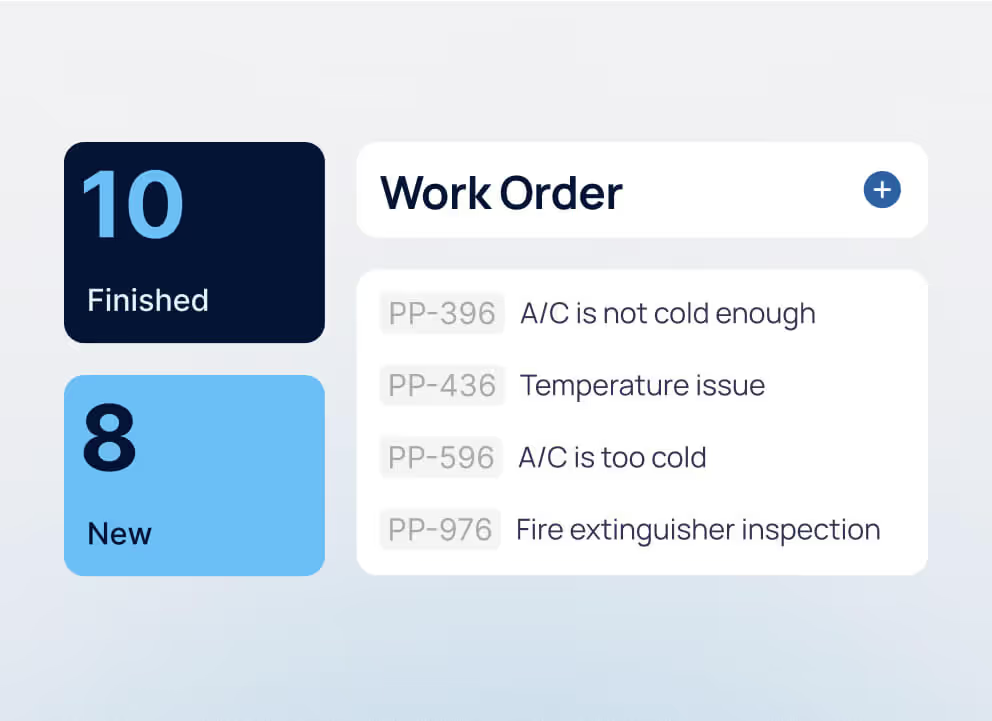

Facility management teams across K-12 schools, community colleges, and higher education campuses face a difficult equation: growing facility needs and limited resources. When staffing is tight, time spent chasing incomplete requests, coordinating work manually, or searching for information takes technicians away from priority maintenance.
The challenge spans the education landscape. U.S. public school districts face an estimated $29.3 billion annual shortfall in facilities maintenance and operations spending, according to the 2025 State of Our Schools report. In higher education, deferred capital renewal reached $156 per gross square foot in 2025, up 8% year over year, while spending on existing buildings was only 73.5% of what’s needed to keep the backlog from growing, according to Gordian’s 2026 State of Facilities in Higher Education report.
Improving school facilities management with limited staff starts with making better use of the resources you already have. This guide explores how to prioritize maintenance, reduce administrative work, improve processes, and use school facilities management software to support your team. It also shows how to identify what’s driving capacity gaps and determine when the right response is to improve workflows, outsource specialized work, or hire additional staff.
Why limited staffing isn’t the only school facilities management challenge
Limited staffing puts pressure on school facility management, but headcount is only part of the capacity problem. Aging infrastructure, reactive maintenance, inefficient workflows, and disconnected information can consume even more of the time facilities teams have available across school buildings and campuses.
Several challenges can compound the problem:
- Aging infrastructure and deferred maintenance increase demand for inspections, troubleshooting, and repairs as building systems require more attention.
- Reactive maintenance can crowd out preventive work. Emergency repairs can push scheduled preventive maintenance aside, increasing the risk that overdue work contributes to future failures and an even larger backlog.
- Inconsistent work intake and prioritization create unnecessary triage when requests arrive through different channels, lack important details, or use different definitions of urgency.
- Disconnected asset and maintenance information forces technicians to spend valuable time searching for service histories, previous repairs, and other information they need to complete the job.
- Limited workload visibility makes it harder for facilities leaders to understand where labor hours are going, identify capacity gaps, and build a case for additional staffing, budget, or capital investment.
These pressures matter because adding staff isn’t the only way to create capacity. Improving how maintenance is requested, prioritized, completed, and measured can help existing teams spend more of their limited time on the work that matters most.
How to improve school facilities management with limited staff
Putting those improvements into practice starts with identifying where your team is losing capacity and addressing those issues first. Standardizing work intake, prioritizing maintenance by risk, protecting preventive work, and improving access to maintenance information can all help return more time to the work that matters most.
School facility management software, including computerized maintenance management systems (CMMS) and enterprise asset management (EAM) software, can support these changes by centralizing maintenance information and automating routine workflows. The framework below connects common capacity challenges with practical improvements and the metrics facilities teams can use to measure their impact.
H3: Standardize how work is requested and triaged
A technician shouldn’t arrive at a building knowing only that “the classroom is too hot.” Incomplete work requests create extra clarification and triage before maintenance can even begin. Set up required key information such as location, affected equipment or area, problem description, and operational impact, and establish consistent priority definitions across buildings and campuses.
School facility management software can support this process by giving requestors a consistent way to submit and track requests while routing work to the appropriate team. Consistent work order management then creates a record from request through closeout, giving technicians clearer work orders and reducing the time supervisors spend tracking down information.
Prioritize backlog by risk and asset criticality
When available labor can’t cover the entire backlog, first-in, first-out isn’t enough. Facilities teams need a consistent way to direct limited capacity toward work with the greatest consequences if delayed. A simple priority structure can provide a common starting point:
- Priority 1: Immediate life-safety, compliance, or critical building-system issues that require urgent response.
- Priority 2: Problems affecting instruction, critical equipment, or essential campus operations that need prompt attention.
- Priority 3: Routine corrective work that can be scheduled without significant operational consequences.
The exact definitions should reflect institutional requirements and local policies. Applying the same criteria across buildings and campuses keeps persistent follow-up from becoming an unofficial priority system.
A CMMS or enterprise asset management (EAM) system can support this approach by keeping work orders and asset information in one place, giving facilities teams better context when reviewing competing priorities. Backlog age adds another useful signal: an older routine request may remain manageable, while changing conditions around a critical asset can increase the consequences of further delay.
Protect preventive maintenance from reactive work
Reactive maintenance can create a difficult cycle for short-staffed teams. Emergency repairs consume planned labor, preventive maintenance and scheduled inspections get pushed back, and overdue work can increase the risk of additional failures and reactive demand.
Identify which preventive tasks and inspections need protection based on asset criticality, failure history, safety implications, and operational impact. CMMS and EAM software can help teams schedule preventive work, manage inspections, and maintain the asset and maintenance history needed to see when critical work is falling behind.
Track PM completion and overdue critical PM separately from the broader backlog. If critical scheduled work continues to be deferred, that’s a clear signal that reactive maintenance is consuming capacity needed to maintain equipment reliability.
Give technicians mobile access to work and asset history
Technicians moving between buildings and campuses lose productive time when they have to return to an office or workstation to check assignments, find service history, or document completed work. Mobile CMMS and EAM software can put work orders, asset history, and maintenance information in technicians’ hands while they’re in the field.
A technician troubleshooting an HVAC unit, for example, can review its service history from the mechanical room, document the repair, and update the work record before moving to the next building. Capturing labor, parts, and findings where the work happens also creates a more complete asset history for future troubleshooting.
Track where maintenance capacity is going
Facilities leaders need more than a count of open work orders to understand whether limited staffing is the real constraint. Track backlog labor hours, work type, overtime, contractor usage, and demand by trade or location to see where available capacity is being consumed.
A CMMS or EAM system can bring work, labor, and asset data together so facilities leaders can identify patterns across buildings and campuses. Reporting and dashboards can help reveal whether demand is concentrated in a specific trade, location, asset category, or type of maintenance.

When to improve processes, outsource or hire
Not every capacity gap requires the same solution. Once facilities teams have reduced avoidable work, they can look at what’s still driving demand. Inefficient workflows may call for process improvements, specialized or temporary work may be better outsourced, and sustained core maintenance demand may justify additional staff. The framework below can help facilities leaders identify which situation they’re facing and choose the right response based on their workload and capacity data.
Improve processes when inefficient workflows are consuming staff time
Start by looking for work that consumes staff time without moving maintenance forward. Duplicate data entry, incomplete work requests, unnecessary approvals, manual status follow-up, and time spent searching for asset history can all reduce the hours technicians and supervisors have available for actual maintenance.
Review where work orders stall, how long they take to assign and complete, and how much administrative work falls on the facilities team. If simplifying those workflows returns meaningful hours to maintenance, improve the process before treating the capacity gap as a staffing shortage.
Outsource when work is specialized, seasonal, or temporary
Outsourcing can make sense when a facilities team needs a specialized trade occasionally or faces predictable workload spikes that don’t justify permanent headcount. Summer and semester breaks, for example, may create concentrated demand for projects or specialty work while buildings and campuses are easier to access.
Compare the cost of outside support with the internal labor and expertise required to complete the same work, including the time needed to coordinate and oversee contractors. Keep contractor activity connected to maintenance records so completed work, costs, and asset history remain visible.
Track contractor usage over time. If the same core maintenance work repeatedly requires outside support, what appeared to be a temporary need may actually point to a longer-term capacity gap.
Hire when core maintenance needs consistently exceed internal capacity
Additional staff may be justified when core maintenance demand continues to exceed available labor after avoidable workflow issues have been addressed. A growing critical backlog, sustained overtime, repeatedly deferred preventive maintenance, or recurring dependence on contractors can all indicate that the gap is structural rather than temporary.
Break workload data down by trade, work type, building, or campus. A facilities team may have enough total labor hours while still lacking sufficient HVAC, electrical, plumbing, or another specialized capacity.
Executive dashboards can help facilities leaders track backlog labor hours, overdue critical work, overtime, and demand by trade or location. Look for sustained patterns across multiple reporting periods rather than using a single busy month, seasonal shutdown, or major project to justify additional headcount.
How school facilities management software supports more than maintenance workflows
Limited staffing doesn’t reduce the range of responsibilities facilities teams need to manage. School facility management software, including CMMS and EAM systems, can help teams coordinate day-to-day maintenance while maintaining visibility across assets, buildings, and other facility needs.
- Reduce the administrative burden around maintenance. Centralized work requests, automated workflows, mobile updates, and shared asset records reduce time spent coordinating work, searching for information, and updating separate systems.
- Stay ahead of critical building needs. Proactive maintenance, scheduled inspections, and asset histories help teams identify and address needs for HVAC systems, fire safety equipment, and other critical assets before preventable issues become emergency work.
- Coordinate operations across buildings and campuses. Centralized records, space management, interactive floorplans, and reporting give teams better visibility across facilities without relying on disconnected systems or processes.
- Direct attention to higher-risk facility needs. Work order, asset, and inspection data can help leaders prioritize maintenance related to indoor air quality, safety and security, emergency preparedness, and critical building systems while identifying lower-risk work that can wait.
The goal isn’t to replace staff with software, but to reduce the operational burden on existing teams. The right system can simplify how facilities work is coordinated while giving staff and leadership better visibility across buildings and campuses.
For a short-staffed facilities team, the key question isn’t how many features a platform offers. It’s whether the system can remove work from your team’s day, support the way your buildings and campuses operate, and provide useful information without creating another system staff have to manage.
When evaluating school facility management software, ask:
- Will it actually reduce administrative work? Look beyond basic work order tracking. Can requestors submit complete work requests through a portal? Can requests be routed automatically? Can recurring work be scheduled without manual setup each time? The goal should be fewer emails, follow-ups, and repetitive steps for technicians and supervisors.
- Can technicians complete the full workflow in the field? Mobile access should let staff receive and update work orders, review asset history, document findings, and record labor or parts without returning to an office. Test the mobile experience with the tasks technicians perform most often.
- Can it support different buildings, teams, and workflows without creating more complexity? K-12 districts, community colleges, and universities may manage multiple locations, trades, contractors, priorities, and approval processes. Look for configurable workflows, role-based access, integrations, and reporting that can accommodate those differences within one system.
- Will the data help you make capacity decisions? Make sure reporting goes beyond counting open work orders. Facilities leaders should be able to track backlog age and labor, preventive maintenance completion, overtime, contractor activity, work by trade or location, and other metrics that help distinguish a workflow problem from a true resource gap.
Don’t evaluate implementation as an afterthought. Ask how existing asset and location data will be migrated, who will configure workflows and integrations, what training programs are available, and what ongoing support looks like. For a team that is already stretched thin, a system that requires significant internal resources to implement or maintain can undermine the efficiency it was meant to create.
How WebTMA helps education facilities teams work more efficiently
With 30+ years of experience in facilities and asset management, TMA Systems understands the complexity of managing K-12 schools, community colleges, and higher education campuses. WebTMA brings maintenance, asset data, workflows, and reporting into one configurable CMMS and EAM platform.
WebTMA can be configured around each organization’s workflows, priorities, permissions, and reporting needs, while scaling from core maintenance to contractor management, space management, capital planning, analytics, and AI-driven capabilities. TMA Systems also provides implementation, training, and ongoing support to help teams get value from the platform without adding unnecessary complexity.
Request a demo to see how WebTMA can support your facilities team, or contact TMA Systems with questions about your maintenance and operational needs.
FAQs about school facilities management
Related resources
From ideas to impact
You’ve read the insights, now see how TMA Systems helps teams put them into practice.