
6 Best CMMS software for small business in 2026: Comparison guide
In this post
%20(1).avif)
.avif)
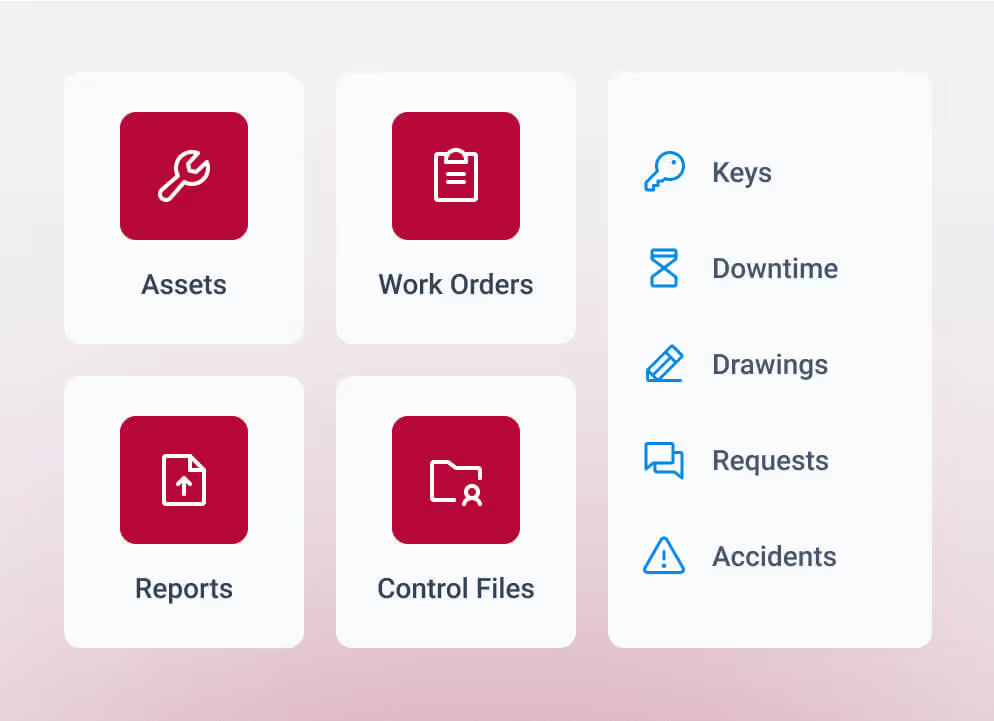

Small maintenance teams reach a point where spreadsheets, manual tracking, and disconnected digital solutions no longer hold up. Work orders slip, asset history is incomplete, and decisions get made without clear data. That is usually when the search for the best CMMS software for small businesses starts. A structured CMMS software system brings work orders, preventive maintenance, and asset data into one place so teams can act on issues with confidence instead of reacting late.
This guide is built to help you evaluate options based on how your operation actually runs. It focuses on day-to-day workflows, team capacity, and how each system supports better decisions as small teams take on more assets, work, and responsibility.
What is CMMS software for small business?
When maintenance starts slipping, teams need a system that keeps work organized and visible. If you’re asking what a CMMS (Computerized Maintenance Management System) is, it's a central system for managing maintenance work, assets, and data so nothing gets missed. For smaller operations, it replaces scattered tools with a structure that supports daily execution, long-term tracking, and asset lifecycle management. As operations grow, that structure helps determine when a system still fits or when broader platforms become necessary. That’s where understanding the difference between CMMS vs enterprise asset management software becomes important.
A CMMS for a small business typically includes:
- Work order management to track requests, assignments, and completion
- Preventive maintenance scheduling to reduce unexpected failures
- Asset tracking system capabilities to maintain service history and equipment details
- Reporting to monitor workload, costs, and performance trends
- Mobile access so technicians can update work from the field
These capabilities bring order to daily maintenance work and support better decisions about what needs attention next.
When small businesses start looking for CMMS software
Most operations start looking for a new system when daily work begins to break down. Work orders get missed, and preventive tasks fall behind. Asset history becomes harder to track, and time spent managing spreadsheets and disconnected digital solutions starts to compete with actual maintenance work.
Lean teams feel this pressure quickly. Without a dedicated admin, technicians handle both execution and tracking. Gaps show up in downtime, repeat issues, and delayed decisions. At that point, a structured system becomes necessary to keep work moving and data reliable.
That shift leads to the question: which systems can support consistent execution without adding overhead?
How we evaluated the best CMMS software for small business
Choosing the best CMMS software comes down to how the system performs in day-to-day work, not how it looks in a demo. This guide focuses on tools that support maintenance operations with reliable data, usable workflows, and the ability to scale without breaking processes.
We evaluated each platform based on:
- Ease of use and technician adoption: Systems with a confusing user interface lead to incomplete records and unreliable reporting
- Speed to implement: Smaller teams need a system that can be configured and used without a long rollout
- Support for daily workflows: Work orders, preventive maintenance, inspections, and parts tracking should match how work actually happens
- Mobile and field access: Technicians need to capture work in real time, even in limited connectivity environments
- Ability to grow with the team: The system should support additional assets, users, and locations without requiring a rebuild
- Data structure and governance: Asset hierarchies and ownership must be defined early, or reporting breaks down
- Implementation and ongoing support: Setup guidance and training affect whether the system gets used consistently
The first thing that typically fails in a poor CMMS choice is data quality. When technicians avoid the system or processes are unclear, reporting breaks down, and decisions rely on guesswork.
Each factor ties back to one outcome: reliable information that supports clear decisions during daily operations.
Best CMMS software for small business: Comparison table
The table below provides a quick overview of how each platform aligns with common small-business needs. Use it to narrow your options before reviewing the detailed breakdowns.

6 Best CMMS software alternatives for small business in 2026
Once you narrow down your options, differences show up in how each platform handles work orders, data, and reporting during day-to-day operations. These summaries reflect how each system supports different operational needs.
1. MEX
MEX is designed for operations managing equipment, parts, and inspections without dedicated system administrators. It connects work orders, preventive maintenance, asset tracking, and inventory management in one place, giving teams a consistent way to manage work and inventory levels. Scheduling support helps teams prioritize work by urgency and workload, while reporting surfaces where time, cost, and recurring issues are building. Mobile access allows technicians to update work from the field, which keeps records consistent.
Best for
Teams managing equipment-heavy operations where parts, inspections, and work orders are tightly connected.
Plans and pricing
Tiered subscription model designed for quick rollout and expansion across assets, users, and sites.
Real customer insights
“It was so easy to set up, it was all a SaaS solution, so minimal interaction, just did the SSO for ease of authentication, and the rest just works. Users are happy and have had no issues so far.” — Gartner Review.
MEX CMMS is part of the TMA Systems suite and is supported by configurable solutions and long-term services that align with real maintenance operations.
2. MaintainX
MaintainX focuses on fast work request capture and communication between technicians. Mobile execution allows teams to document work as it happens and keep tasks moving. This fits operations transitioning away from paper or disconnected tools and looking to improve response time and customer satisfaction.
Best for
Teams that prioritize mobile work orders and quick visibility into daily maintenance tasks.
Plans and pricing
Tiered pricing with entry-level access and expanded reporting and administrative features in higher plans.
Real customer insights
“The staff are great, they are highly responsive and nearly always resolve the issue the day it is reported. The Platform is constantly growing, they are adding more functionality and streamlining processes.” — Gartner Review.
3. Limble CMMS
Limble CMMS provides structured workflows for maintenance operations that need clear organization without a long setup cycle. It supports work orders, preventative maintenance, and asset tracking with a guided setup that helps teams get started quickly. Navigation stays simple, supporting consistent use.
Best for
Teams that want a structured system for maintenance work with minimal setup effort.
Plans and pricing
Subscription-based pricing tied to users and feature tiers.
Real customer insights
“Limble's extremely user-friendly with an amazing technical support team. The dashboards provide a visual of asset KPIs, downtime hours, and manpower. Submitting work orders is easy for the team to use with QR code capabilities.” — Gartner Review.
4. UpKeep
UpKeep focuses on capturing work in real time through mobile devices. It supports work orders, preventative maintenance, and asset tracking with an emphasis on speed and accessibility. This helps teams keep maintenance records up to date throughout the day.
Best for
Teams that rely on technicians updating work directly from the field.
Plans and pricing
Tiered subscription model based on users and feature access.
Real customer insights
“Upkeep has helped with our work to ensure maintenance and other equipment-related tasks are completed and tracked.” — Gartner Review.
5. Fiix
Fiix is a cloud-based CMMS that supports operations in building more structured maintenance processes and looking for clearer reporting. It connects work orders, preventative maintenance, and asset data, helping managers track workload and asset performance over time.
Best for
Teams moving toward consistent workflows and stronger reporting across maintenance operations.
Plans and pricing
Subscription tiers that scale with users, integrations, and reporting capabilities.
Real customer insights
“It's easy to track, manage, and control inventories with Fiix CMMS. It's simple to organize, create, and manage work orders with this tool.” — Gartner Review
6. eMaint CMMS
eMaint provides configurable workflows and detailed reporting for operations that require structured records and audit-ready data. It supports preventative maintenance, asset tracking, and long-term history, helping maintain performance and regulatory compliance visibility.
Best for
Teams that require detailed reporting and structured asset records across operations.
Plans and pricing
Tiered subscription model with expanded capabilities available in higher plans.
Real customer insights
“Good software, user-friendly, very good support. Configurations and such are very good to help end users be efficient and save time.” — Gartner Review.
Each platform handles core maintenance functions, but the differences show up in how they support data quality, reporting, and workload visibility. The next step is to examine the features that have the greatest impact on daily execution and decision-making.
Key features to consider for a CMMS software
Once you narrow down vendors, the decision comes down to how the system supports daily execution and how clearly it surfaces what needs attention.
Keep work orders organized and moving
A strong work order management software setup gives teams a clear way to capture requests, assign tasks, and track completion. Gaps in this process lead to missed work and incomplete records. Systems should make it easy to update status, capture labor, and close out tasks without adding extra steps.
Stay ahead of failures with preventive maintenance
Preventive maintenance schedules give teams control over equipment performance. When schedules are not followed or tracked, reactive work takes over. A reliable preventive maintenance software setup tracks recurring work and keeps it from slipping through the cracks. The system should adjust to real usage, not fixed dates that get ignored.
Maintain clear asset history and visibility
An asset tracking system ties every repair, inspection, and cost back to the equipment. Incomplete records lead to poor decisions around replacement and repair. Systems should present asset history in a way that helps teams identify repeat issues and high-cost equipment.
Control parts and avoid delays
Parts and inventory often create delays that ripple across operations. A system should connect parts to work orders, track usage, monitor inventory levels, and flag low stock before it impacts repairs. Without this connection, teams spend time searching for parts or delaying work.
Support technicians in the field
Mobile access through a mobile app affects adoption and data accuracy. Technicians need to open, update, and close work orders without returning to a desktop. Systems that support real-time updates help maintain reliable records and reduce follow-up work.
Turn data into clear decisions
Reporting should reflect actual operations without manual cleanup. Supervisors need visibility into the backlog, response times, and maintenance costs. Clear reporting helps teams identify where work is falling behind and where risk is building.
These features determine how well a system supports daily execution and how clearly it surfaces issues that need attention. From there, the focus shifts to how teams select and implement a system that fits their operation.
Common mistakes small teams make when choosing a CMMS
Small teams often run into issues when selection focuses on price or surface-level features. A low-cost system can create more work if technicians avoid using it or if data remains incomplete. Adoption drives data quality, and data quality drives decisions.
Implementation is another point where problems surface. Asset data often needs cleanup, naming standards must be established, and system ownership must be clear. When those steps are skipped, reporting becomes unreliable, and teams fall back to manual tracking.
Growth also exposes gaps. A system that works for one site may struggle once more assets, users, or locations are added. These issues often appear first in reporting, then in daily execution.
Avoiding these problems starts with a selection process that tests real workflows and assigns clear ownership from the start.
How to choose the right CMMS software for a small business
Use the selection process to test how the system performs under real conditions and how it will hold up over time.
- Match the system to your operational setup: Review how the platform supports your equipment, inspection requirements, and maintenance workflows tied to asset operations. Systems built for simple tracking may struggle with parts-heavy or multi-site facility management environments.
- Map and test real workflows: Run actual work orders, preventative maintenance tasks, approvals, and a sample work request through the system. This shows where gaps exist before implementation and how well the platform supports day-to-day execution.
- Plan for data migration and ownership: Asset data needs to be cleaned, structured, and assigned ownership. Poor data at the start leads to unreliable reporting and weak visibility into asset performance. This also limits the value of predictive maintenance over time.
- Review integration and system impact: Identify how the CMMS connects with accounting, purchasing, and inventory management systems. Weak integration creates duplicate entries, inconsistent data, and gaps in inventory management visibility.
- Evaluate implementation support: Look at onboarding, training, and ongoing support. Small teams rely on guidance to get the system running and keep it consistent, especially when managing regulatory compliance requirements.
- Test scalability across sites and teams: Consider how the system will handle additional assets, locations, and multi-site management requirements. Growth introduces governance challenges that need to be addressed early, especially in broader facility management operations.
A strong selection process highlights how the system performs during daily work and how it supports clear, reliable decisions as operations expand while reducing equipment downtime.
When TMA Systems is the right fit for your team
After reviewing your options, the right fit usually comes down to how well the system holds up during real work. MEX CMMS is built for small teams that need to get up and running quickly and keep technicians engaged. It supports work orders, preventive maintenance, inspections, and parts tracking in one place, which helps teams stay organized without adding extra steps. This is especially relevant for teams managing equipment across job sites, facilities, or field environments where mobile access and clear priorities matter.
TMA Systems also supports teams that plan to grow beyond their current setup. With more than 30 years of experience, the platform expands into a broader set of configurable solutions that align with changing operational needs. Implementation support, training, and ongoing guidance are part of that process, so teams are not left to figure it out on their own.
This approach gives teams a system they can use today and build on as operations become more complex.
FAQs about CMMS software for small business
Related resources
From ideas to impact
You’ve read the insights, now see how TMA Systems helps teams put them into practice.