


Explore how MEX helps maintenance teams manage maintenance from one connected platform.
7-day free trial, no installation required.
What you can expect:
• Real maintenance workflows
• Technician-friendly functionality
• Maintenance history and asset records
• Preventive maintenance planning
• Reporting and operational visibility
"We use MEX to create a work history for audits. It’s easy to use and has made my job easier."

"The interface to manage the incidents from maintenance request to work order management and final reports is very user friendly."
"A good asset and maintenance tool when implemented correctly. MEX is well designed and easy to use."

Mobile Solutions
Manage maintenance with MEX Mobile
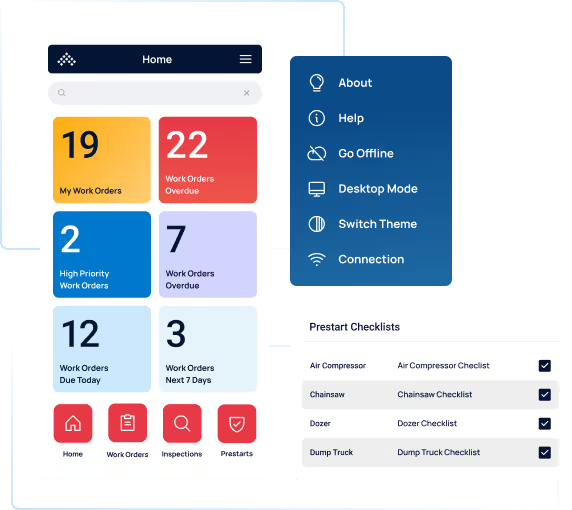
Take MEX CMMS wherever the job takes you. From asset management to work orders and prestarts, MEX Mobile lets you track, update, and complete maintenance tasks from any device—online or offline.

MEX Mobile has you covered anywhere, any time
MEX Mobile delivers the full power of your CMMS wherever you are. Access assets, work orders, inspections, and inventory in the field—with or without an internet connection. Data syncs automatically when you’re back online.

Sync & go functionality
Work seamlessly online or offline. Record maintenance data in the field and sync it instantly once reconnected.

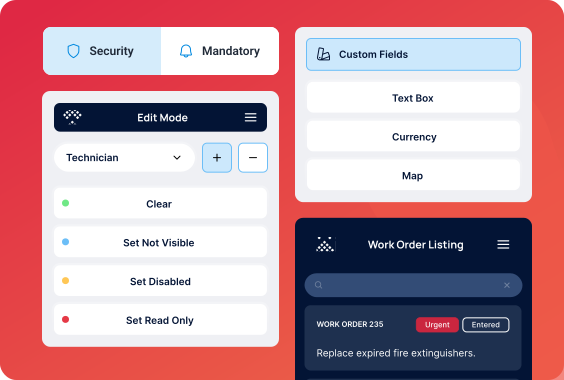
Admin customization
Tailor forms, fields, and workflows to fit your team’s needs with the Admin Control Center—keeping mobile operations efficient and personal.

Intuitive navigation
Designed for simplicity, MEX Mobile lets users find, log, and complete maintenance tasks with just a few taps.
.avif)




MEX Mobile for on-the-go maintenance
Discover how MEX Mobile streamlines maintenance with an easy interface, intuitive shortcuts, and a layout built for real work in real environments.
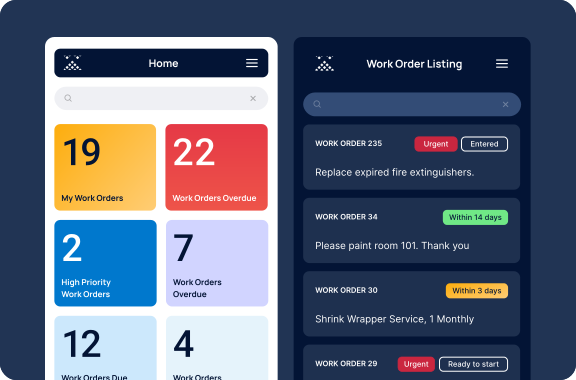
Experience seamless maintenance management on any device
Access all your critical information from any location. Stay organized, reduce paperwork, and keep your maintenance moving with real-time visibility across your operation.
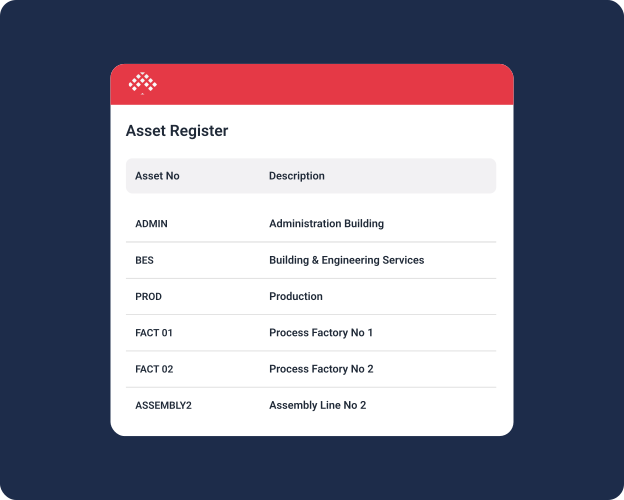
Asset management anywhere
Keep your asset data accurate and accessible wherever you work. Update details, attach documents, and capture readings seamlessly through MEX Mobile.
Work orders on-the-go
Stay on top of every task with MEX Mobile. Create, assign, and complete work orders in real time—even without an internet connection.
.svg)
Inspections & compliance made simple
Perform inspections, prestarts, and audits anywhere with MEX Mobile. Use customizable checklists to ensure compliance and identify issues early.
.svg)



MEX CMMS is more than just mobile
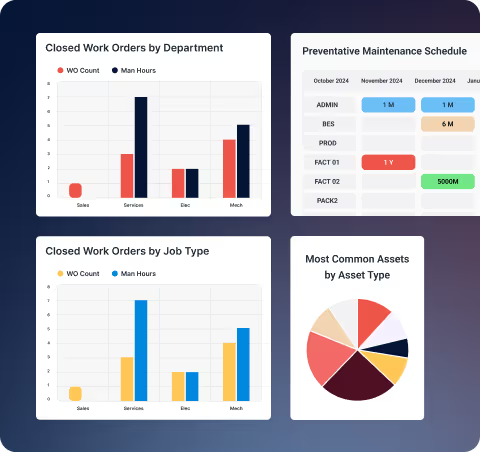
Behind every app is the full MEX CMMS experience—the complete CMMS for asset, work order, and inventory management, allowing you to seamlessly connect mobile data to your central system for total visibility and control.
.avif)


MEX Mobile FAQs
Get answers to commonly asked questions about MEX Mobile, from supported devices and platforms to licensing, security, and more.
MEX Mobile is available across iOS, Android, and Universal Windows Platform (UWP) and are available to download from their respective app stores.
Logging into MEX Mobile will consume one of your MEX CMMS user licenses. Please keep this in mind should you plan to roll out new devices for your workforce. MEX CMMS licences are on a concurrent basis, so you will need to plan your license numbers around how many users are logged in at the same time.
If the user is set up as a Prestart user, when they login MEX CMMS will consume a prestart license. These are separate from a standard MEX CMMS licence and are sold in packs of 20.
If you have any further questions or require more licences, please contact our Sales team at sales@mex.com.au.
No, MEX Mobile is free to download. However, accessing the app will consume a MEX CMMS user license.
When a user first logs into the app, their assigned security group settings are also migrated over to the app. Ensuring that any areas of the app and mandatory fields are also enforced.
Using the Admin Control Centre, administrators can create and edit security groups, set mandatory fields, and change labels.
Bring the power of your CMMS to the palm of your hand
Experience how MEX CMMS simplifies fieldwork, boosts efficiency, and keeps your maintenance connected wherever the job takes you.